

Instantiating multiple plane using Graphics.DrawMeshInstancedIndirect (the position of the instances is adjusted in the vertex shader).
![I retrieve the matrix transformation from the buffer. With this TRS matrix, I can retrieve the origin and the up axis for each instance. (return _sharedVisibleBuffer[id].transform;).](https://cdna.artstation.com/p/assets/images/images/096/241/510/large/thomas-monnom-capture-d-ecran-2026-02-10-193235.webp?1770748368)
I retrieve the matrix transformation from the buffer. With this TRS matrix, I can retrieve the origin and the up axis for each instance. (return _sharedVisibleBuffer[id].transform;).


Multiplying vertex postion by the TRS matrix.

To avoid to render both sides, I force each instance to face the camera. To do this, I calculate the angle and apply a rotation around the UP axis.


To avoid rotation repetition, I sample a texture that adds or subtracts a few degrees from the calculated rotation angle.

To simulate wind, I sample the same texture four times using different UV and time settings. Each channel of the RGBA texture contains a different noise pattern to create a natural variation in the wind.

Using the results of the various texture samples as input for the rotation angle. The rotation axis is defined by a parameter in the material (it represents the wind direction).

I use a texture flipbook to create different shapes of grass and flowers.

To add some interactivity, I use a flow map texture, which allows the grass to bend when an object or player walks over it.
To create the texture, I paint over the object's position in a render texture that is passed to multiple shaders via Graphics.Blit.

Blur pass: This shader blur a texture by adding the value of each pixel to its neighborings pixel.

Flowmap pass: This shader compares the value of a pixel to those of its neighbors and calculates the local variation (approximation of the partial derivatives), yielding a 2D direction that represents the slope along the x and y axis.

To create the lit effects on the grass, I need to calculate the vertex normals based on the changes in vertex positions.

Once the normal vectors are fixed, I can calculate the sun impact using the dotNL.

I also add a horizon effect when the sun is low in the sky. It looks like specular lighting, but it’s the same effect as dotNL with different settings.

I use an ID in my buffer that specifies whether it's a blade of grass or a flower. For the lit of the flowers, I use two arrays that contain the Hue color information.
First render.
Second render with different settings.
Third render with flowers.
Fourth rendering with different settings.
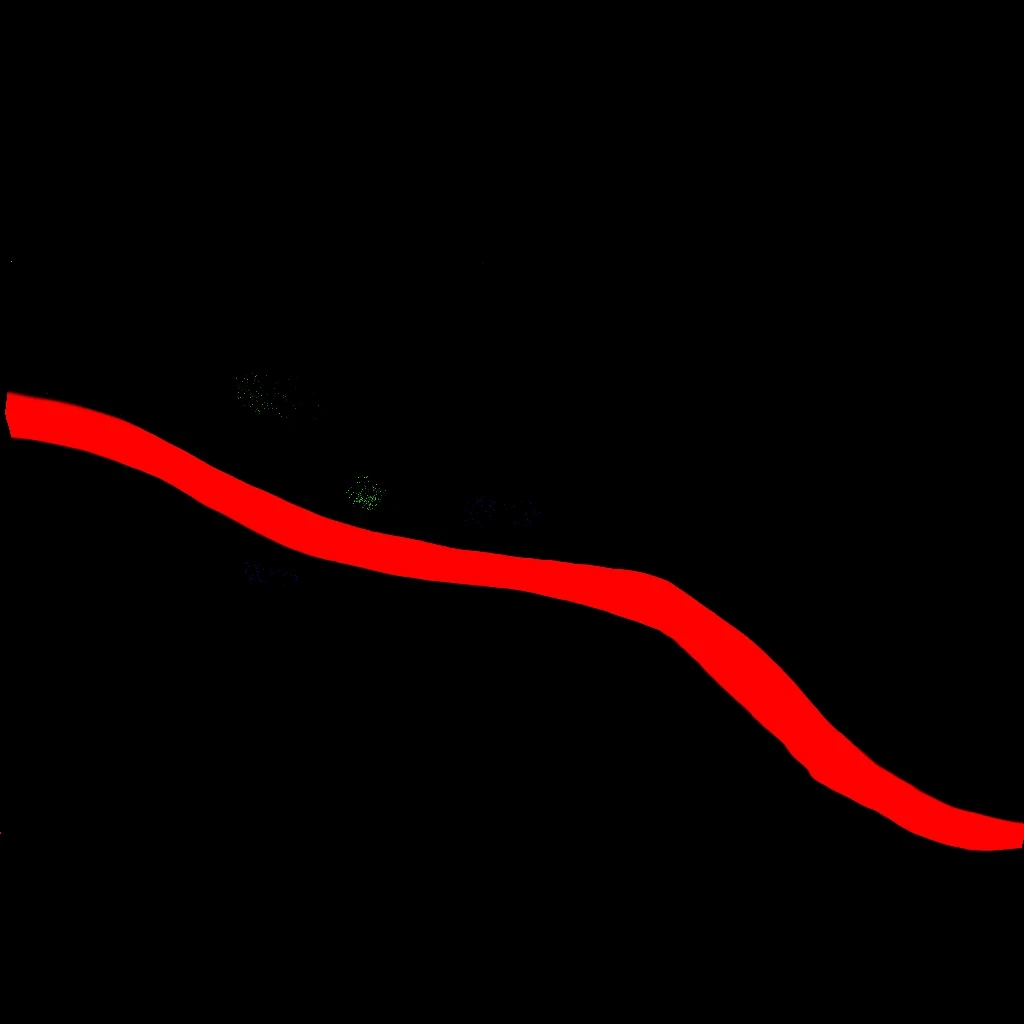
To determine if an instance is a flower or a blade of grass, I use a texture that contains this informations.
(black = grass blade, red = no instance, blue = flower 1, green = flower 2).

I use an ID in my buffer that specifies whether it's a blade of grass or a flower. For the lighting of the flowers, I use two arrays that contain the color information.

All shader graph.
Hey,
In this post, i showcases a grass shader.
I focused on the vertex and fragment shader.
At first, to instantiate the grass, I used the vertex positions of a subdivided plane, then switched to a raycasting system.
When instantiating many elements, you’ll need to optimize your rendering using a frustum culling compute shader.
For this, I used a GitHub project that really helped me understand how to implement it.
I tried my best to maintain the highest video quality, but once it’s uploaded, the compression algorithm degrades the quality.
Compute shader ref : https://github.com/MangoButtermilch/Unity-Grass-Instancer


